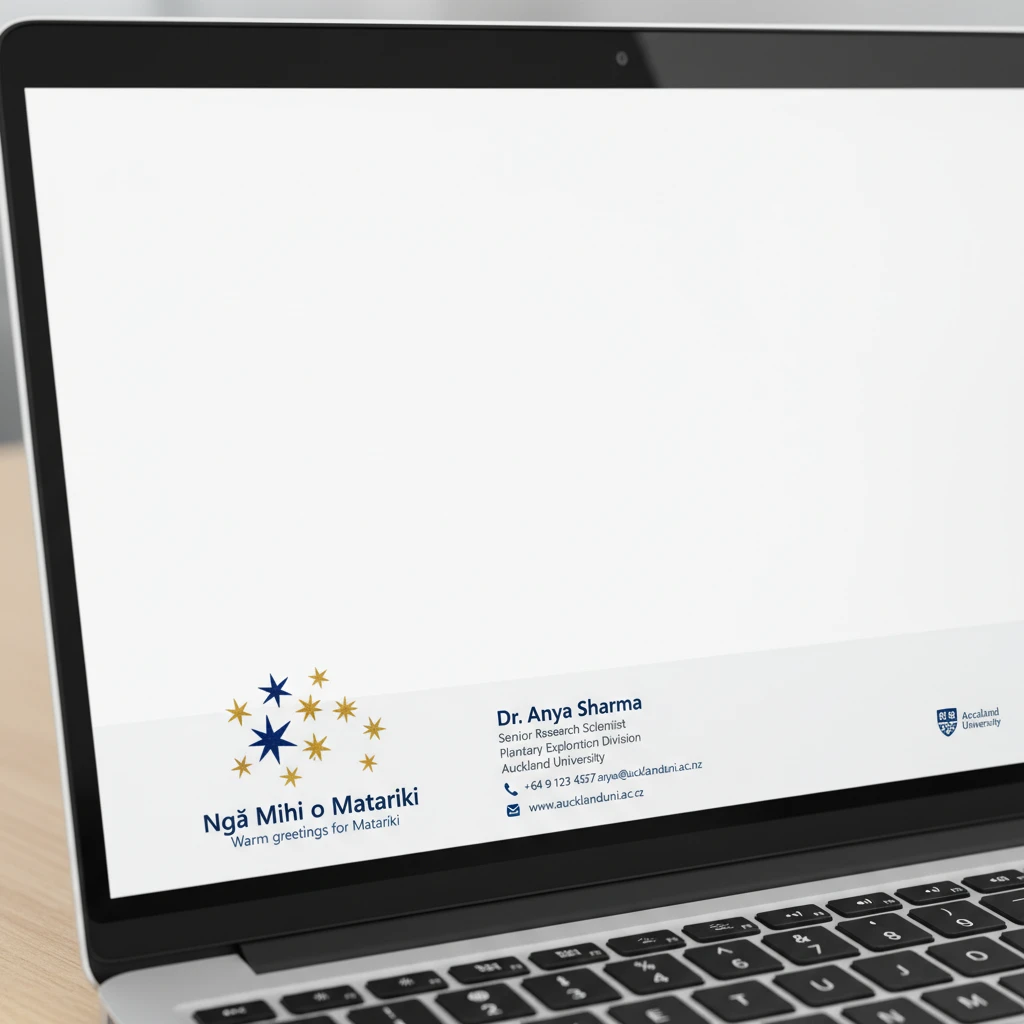
To download Matariki email signature templates and integrate them into your professional correspondence, choose designs that feature the nine stars (Ngā Whetū o Matariki) and incorporate bilingual greetings like “Mānawatia a Matariki.” These digital assets allow organizations to respectfully acknowledge the Māori New Year. The guide below provides copy-paste layouts, image assets, and installation instructions for Outlook and Gmail.
The Significance of Matariki in Professional Contexts
Matariki, the Māori New Year, marks a time of reflection, celebration, and renewal. In the New Zealand business landscape, acknowledging this public holiday has moved beyond simple compliance to become a core expression of cultural competency and national identity. When you download Matariki email signature templates or utilize bilingual Out of Office messages, you are signaling to clients, colleagues, and stakeholders that your organization values Aotearoa’s indigenous heritage.
Integrating these elements into your digital communications is not merely aesthetic; it is an act of whanaungatanga (building relationships). It demonstrates an awareness of the changing seasons and the cultural rhythm of the country. Whether you are in the education sector, government, or private enterprise, aligning your brand with the values of Matariki—remembrance, celebrating the present, and looking to the future—enhances your professional reputation.

Bilingual Email Signature Templates
Below are structured text layouts you can copy and customize. For the visual banner component, we recommend using official assets provided by Te Mātāwai or creating brand-aligned graphics that feature the Pleiades star cluster.
Template 1: The Formal Corporate (Bilingual)
This template prioritizes hierarchy and clarity while placing Te Reo Māori first, a practice known as “Te Reo Tuatahi,” which is considered best practice in NZ government and education sectors.
[Ingoa / Name]
[Tūranga / Job Title]
[Kamupene / Company Name]
Waea / Phone: +64 21 123 4567
Īmēra / Email: name@yourdomain.co.nz
Pae Tukutuku / Website: www.yourdomain.co.nz
Mānawatia a Matariki – Celebrating the Māori New Year
[Insert Matariki Banner Image Here]
Template 2: The Educator & Community Connector
Ideal for those in the education niche, this signature includes a specific whakataukī (proverb) relevant to the season of Matariki, adding depth to the communication.
[Ingoa / Name]
[Pouako / Role]
“Matariki hunga nui”
(Matariki, the gatherer of people)
Ngā mihi o te tau hou / Season’s greetings
[Insert Star Cluster Graphic Here]
Template 3: Minimalist Design for Mobile Optimization
Many professionals read emails on mobile devices. This text-based signature avoids heavy imagery while still honoring the holiday through language.
[Name] | [Title] | [Organization]
Celebrating Matariki | Mānawatia a Matariki
P: 09 123 4567 | W: www.yourbusiness.co.nz
Copy-Paste Out of Office (OOO) Messages
Setting an automatic reply is a prime opportunity to educate your network about why you are away. Instead of a generic “I am out of the office,” use these templates to spread awareness of the holiday.
Option 1: Professional & Educational
Subject: Mānawatia a Matariki – Out of Office
Kia ora,
Thank you for your email. I am currently away from the office celebrating Matariki, the Māori New Year. This is a time for us to remember those who have passed, celebrate the present, and plan for the future.
I will be returning on [Insert Date]. For urgent matters, please contact [Colleague Name] at [Email Address].
Ngā mihi nui,
[Your Name]
Option 2: Short & Bilingual (Te Reo Tuatahi)
Subject: Tari Katia / Office Closed for Matariki
Tēnā koe,
Ka kati tā mātou tari mō te whakanui i a Matariki.
(Our office is closed to celebrate Matariki.)
I will respond to your message when I return on [Insert Date].
Mānawatia a Matariki!
[Your Name]
Option 3: The ‘Hiwa-i-te-rangi’ (Aspirational)
This template references Hiwa-i-te-rangi, the star connected to granting wishes and setting goals, making it perfect for business development roles.
Subject: Planning for the year ahead – Out of Office
Kia ora,
I am taking a break to observe Matariki. As we look to the star Hiwa-i-te-rangi to send our wishes for the year ahead, I am taking this time to reset and recharge.
I look forward to connecting with you upon my return on [Insert Date] to discuss our shared goals for the coming year.
Noho ora mai,
[Your Name]
Cultural Etiquette for Digital Correspondence
When you download Matariki email signature templates and start using Te Reo Māori in your business communications, it is vital to uphold the mana (integrity) of the language. Misuse, even if well-intentioned, can be seen as culturally insensitive.

1. The Importance of Macrons (Tohutō)
Macrons are not optional decorations; they change the meaning of words. For example, keke means cake, while kēkē means armpit. In a professional email signature, ensuring you use the macron in “Māori,” “Tāmaki Makaurau” (Auckland), or “Mānawatia” is non-negotiable. Modern operating systems allow you to easily type these characters (usually by holding the vowel key on mobile or using the tilde key `~` + vowel on NZ keyboards).
2. Correct Usage of “Mānawatia a Matariki”
This phrase has become the standard greeting. It translates roughly to “Celebrate Matariki” or “Welcome Matariki.” It is appropriate to use this as a sign-off (instead of “Kind regards”) during the month of June and July. However, do not shorten it to just “Matariki” as a greeting, as that is grammatically incomplete in this context.
3. Understanding the Imagery
If you are designing your own banner rather than using a template, ensure you include the correct number of stars. Matariki is scientifically the Pleiades cluster. While seven stars are visible to the naked eye, Māori tradition recognizes nine stars (Matariki, Pōhutukawa, Tupuānuku, Tupuārangi, Waitī, Waitā, Waipuna-ā-rangi, Ururangi, and Hiwa-i-te-rangi). Using a graphic with only 5 or 6 stars, or a generic clip-art star, shows a lack of attention to detail.
How to Install These Assets in Outlook & Gmail
Once you have selected your text and downloaded your banner image, follow these technical steps to implement them. Consistency across your organization is key for brand alignment.
Installing in Microsoft Outlook (Desktop App)
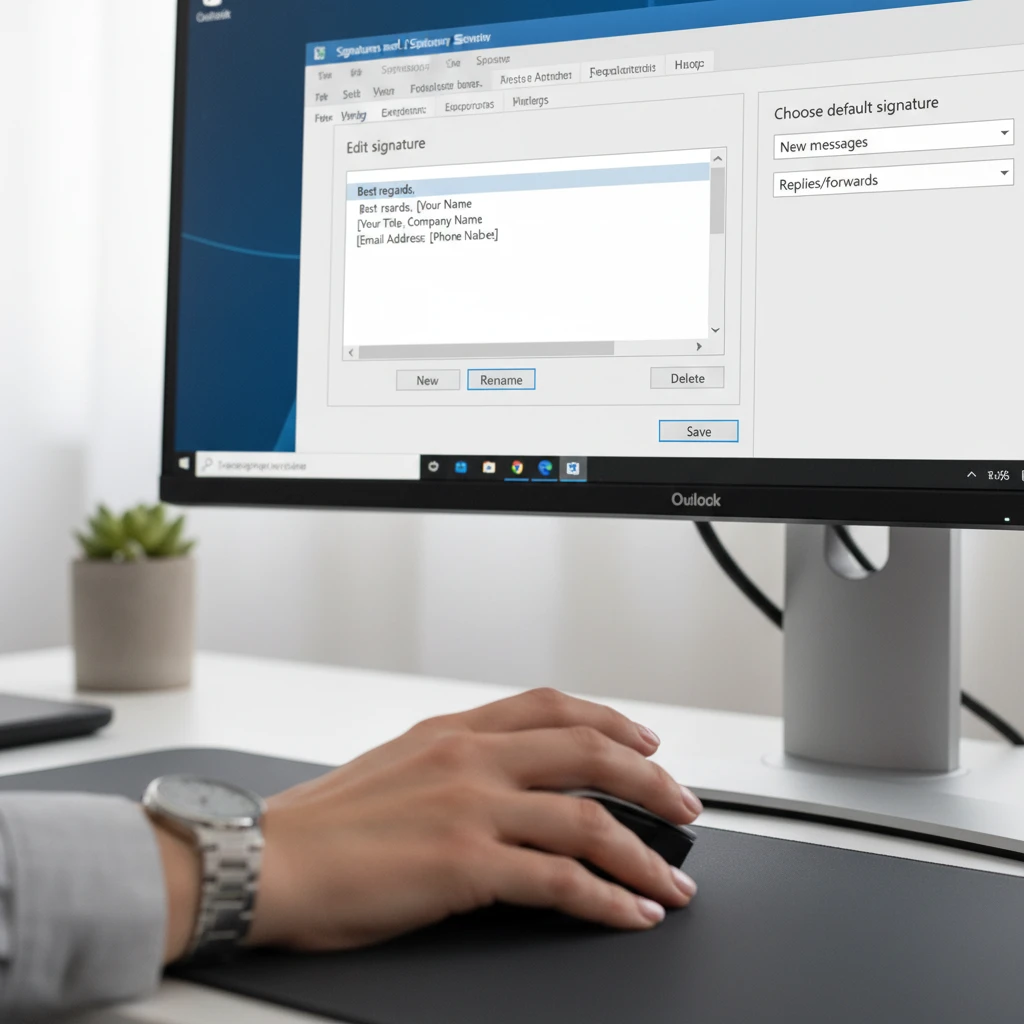
Outlook is the standard for most corporate environments in New Zealand. Follow these steps to update your signature:
- Open Settings: Go to File > Options > Mail > Signatures.
- Create New: Click New and name it “Matariki 2024”.
- Paste Layout: Copy the text from the templates above and paste it into the edit box.
- Insert Image: Click the icon that looks like a mountain with a sun (Insert Picture). Locate your downloaded Matariki banner.
- Hyperlink: If you want the banner to link to your company’s Matariki policy or a greeting video, click the image, then click the Link icon (globe with a chain) and insert the URL.
- Set Defaults: On the right side, under “Choose default signature,” ensure “Matariki 2024” is selected for both “New messages” and “Replies/forwards.”
Installing in Gmail (Google Workspace)
For education providers and startups often using Google Workspace, the process is slightly different:
- Settings Gear: Click the cog icon in the top right > See all settings.
- Scroll Down: Find the “Signature” section near the bottom of the “General” tab.
- Create New: Click + Create new and name it.
- Formatting: Paste your bilingual text. Use the formatting bar to bold your name or change text colors to align with the Matariki theme (often deep blues, blacks, and golds).
- Add Image: Click the “Insert Image” icon. Note: Gmail prefers images hosted on a URL or uploaded directly to Drive. Ensure the image size is set to “Large” or “Original” depending on resolution, but “Medium” often works best for mobile readability.
- Save Changes: Scroll to the very bottom of the page and click Save Changes.
Troubleshooting Common Issues
- Image appearing as an attachment: This often happens in Outlook. To fix this, ensure you are embedding the image rather than copy-pasting it directly from a folder. Always use the “Insert Picture” button.
- Mobile Distortion: If your banner includes text, it may become unreadable on mobile devices. It is safer to keep the vital contact info in HTML text format and use the image purely for decorative branding.
Frequently Asked Questions
What is the best greeting to use during Matariki?
The most widely accepted and grammatically correct greeting is “Mānawatia a Matariki.” This phrase serves as a celebration and an affirmation of the New Year. You can use it as an opening salutation (e.g., “Kia ora e hoa, Mānawatia a Matariki”) or as a sign-off in your emails.
When should I start using my Matariki email signature?
It is appropriate to switch to your Matariki signature at the beginning of June, as the star cluster becomes visible in the pre-dawn sky (depending on the lunar phase). You should generally keep it active until mid-to-late July, covering the entire period of the public holiday and local celebrations.
Can I use the official Matariki logo for my business?
The official “Matariki Ahunga Nui” tohu (logo) created by the government is often available for public use, but strict brand guidelines apply. You cannot alter the colors or proportions. Always check the Ministry for Culture and Heritage (Manatū Taonga) website for the latest usage rights before adding it to your commercial email signature.
How do I type a macron on a Windows keyboard?
If you have the “Māori” keyboard layout installed on Windows, you can type a macron by pressing the ` (tilde) key (usually next to the 1 key) and then the vowel. For example, ` + a = ā. On a Mac, simply hold down the vowel key and select the macron option from the pop-up menu.
What do the 9 stars of Matariki represent in a business context?
While each star has a traditional environmental meaning, businesses often interpret them metaphorically. For instance, Tupuānuku (food from the earth) can represent grounding and resources, while Hiwa-i-te-rangi (the wishing star) represents strategic planning, future goals, and aspirations for the new financial year.
Is it appropriate for non-Māori staff to use these signatures?
Yes, absolutely. Matariki is a public holiday for all of Aotearoa New Zealand. Non-Māori staff using these signatures demonstrates cultural allyship and support for national identity. The key is to use the language correctly and respectfully.